 Video EditorOpen the editor
Add automatic captions to a video (on your device)
Most people watch short videos with the sound off, so captions matter. Video Editor transcribes speech on your computer with a small speech model, so your video never leaves your device.
In this guide
1Add a video or audio with speech
Upload your clip first. Captions are generated from the sound of a video or audio layer.
2Open Auto captions
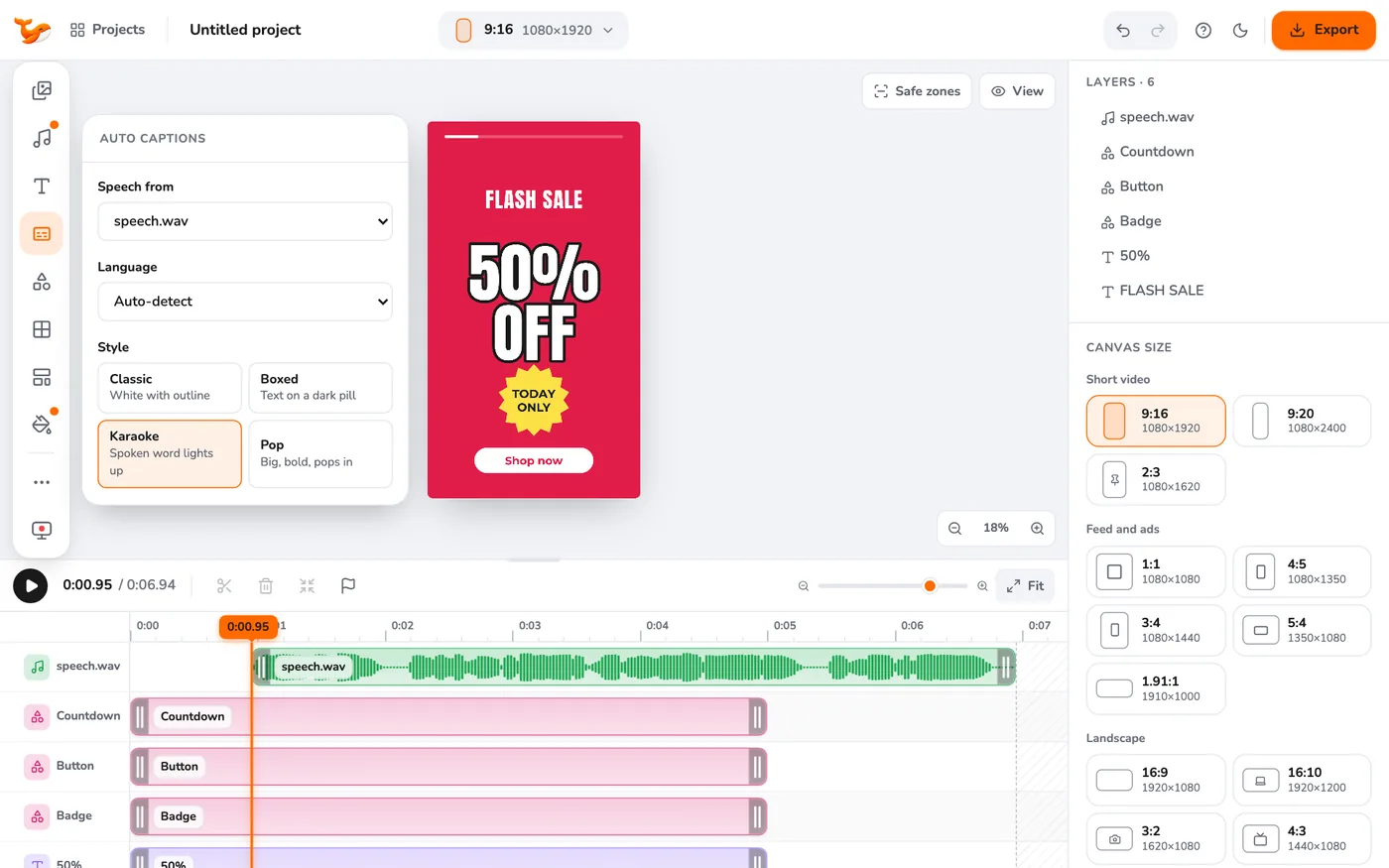
Click Auto captions in the left toolbar. Choose the speech source (the layer to transcribe) and the language. Picking the language instead of Auto-detect is more accurate.
3Pick a style and position
Choose Classic (white with outline), Boxed (text on a dark pill), Karaoke (the spoken word lights up) or Pop (big and bold). Pick Top, Middle or Bottom. See karaoke captions for the highlight style.
4Generate
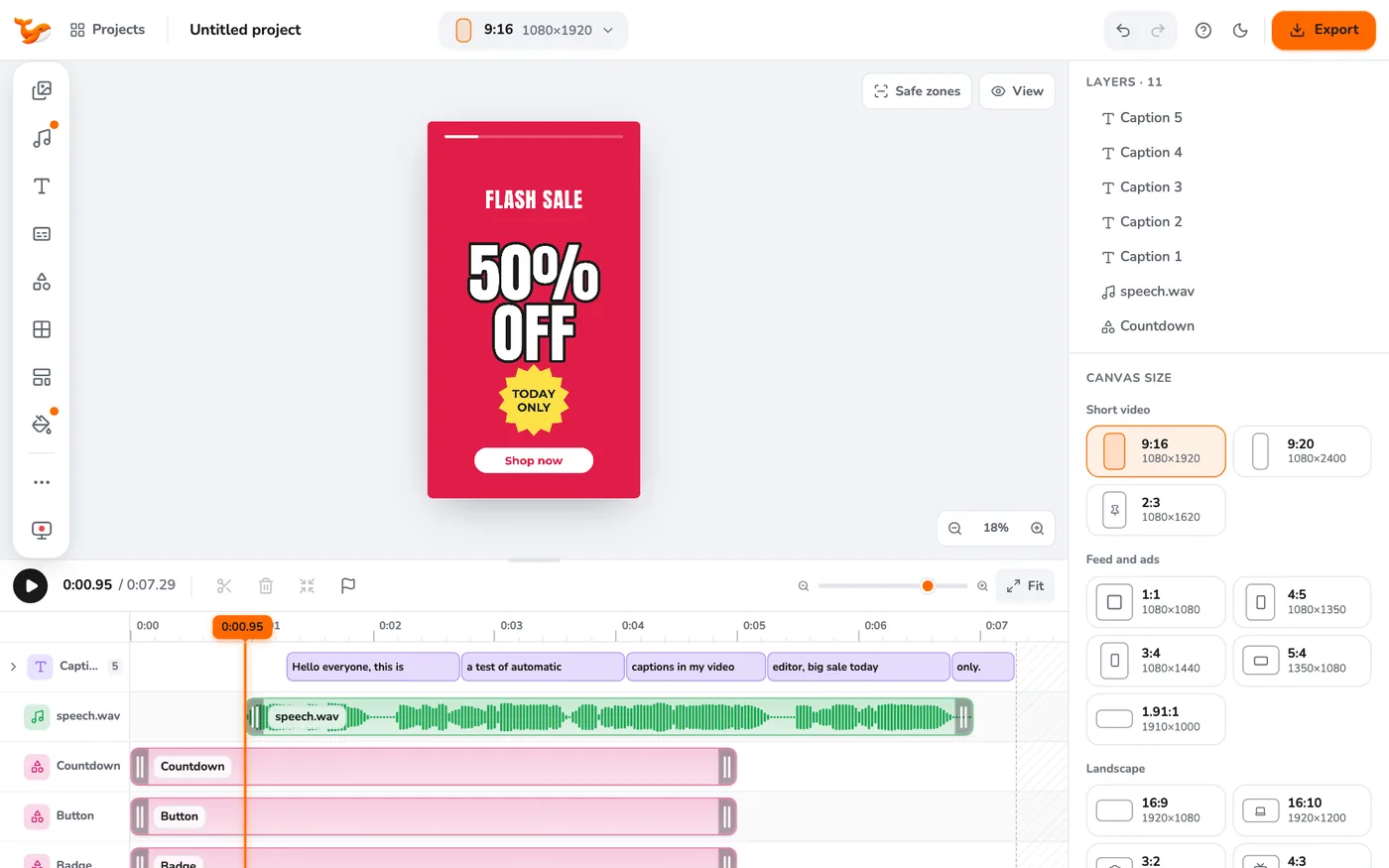
Press Generate captions. The first run takes longer while the model warms up. Each caption line becomes a text layer, and they are folded into one Captions row on the timeline.
5Fix and restyle
Click a caption block on the timeline, then edit its text on the canvas. Click the arrow on the Captions row to open every caption as its own row. Change the style or position in the panel and generate again if needed.
Tips
- Use clear audio. Noise reduction before transcribing helps in noisy clips.
- You can also edit the video by editing its transcript.
Frequently asked questions
Is my audio uploaded?
No. The speech model is bundled with the extension and runs locally. On the website it is downloaded once and cached.
Which languages work?
The speech model supports many languages. Choose yours in the Language menu for the best accuracy.
Video Editor runs in your browser. No account, no uploads.
Open the editor